Your data
Your workouts stay on your phone.
There is no account and no Gymtiko server: something leaves your phone only when you save a file, share it, or your phone makes its own backup.
Check it yourself, in three places
In Gymtiko
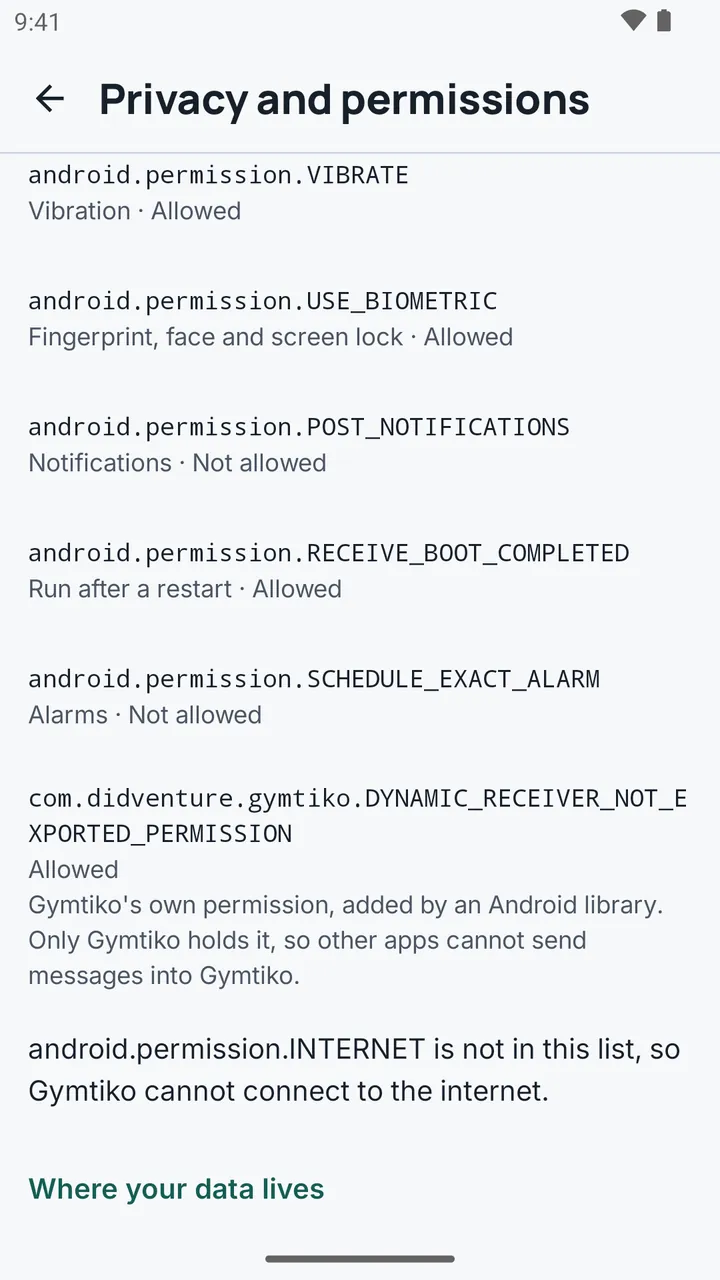
Open Profile › Privacy and permissions and scroll to Permissions in this installed app. Android reads this list from the copy on your phone. Its last line: "android.permission.INTERNET is not in this list, so Gymtiko cannot connect to the internet."
In your phone's settings
Settings › Apps › Gymtiko › Permissions (names vary by phone) shows what Gymtiko can ask for, such as notifications. Android does not let you allow or refuse internet access there, for any app.
On Google Play, once Gymtiko is there
The listing shows the app's permissions under About this app. Every release build is checked for the internet permission before it ships.
Backups and a new phone
We cannot recover your history for you. These copies can.
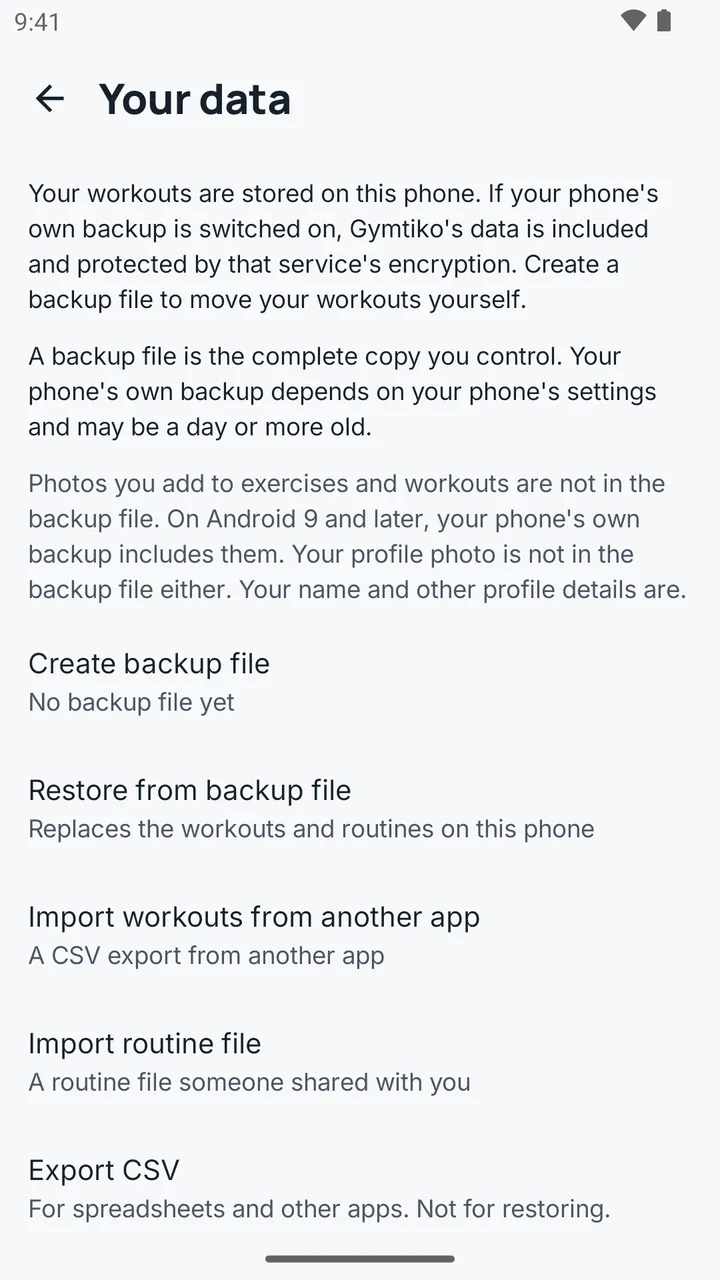
- A backup file you keep. Profile › Your data › Create backup file saves workouts, routines, custom exercises, settings, profile, body weight log and grocery list where you choose. Gymtiko reminds you after your third workout.
- Not encrypted, no photos. Anyone with the file can read it, so keep it with your other private files. Photos are not in it.
- Your phone's own backup. On Android 9 and later it includes Gymtiko only when that backup is encrypted on your phone, and it may not have your latest workout. On Android 8 it does not include Gymtiko.
- A new phone. Install Gymtiko and choose New phone? Restore a backup. You see what the file holds first, and can undo a restore for 24 hours.
- A CSV for spreadsheets. Export CSV lists every completed set. It cannot restore Gymtiko.
Delete it in one step
Profile › Your data › Delete all data removes your workouts, profile, photos and lists from the phone. Backup files you saved elsewhere and your phone's own backup are separate: manage them where they are stored.