Features
Everything Gymtiko does, tab by tab
The same five tabs as the app. Everything here is in the app today, free and offline, with no account.
Train
Every set starts from last time
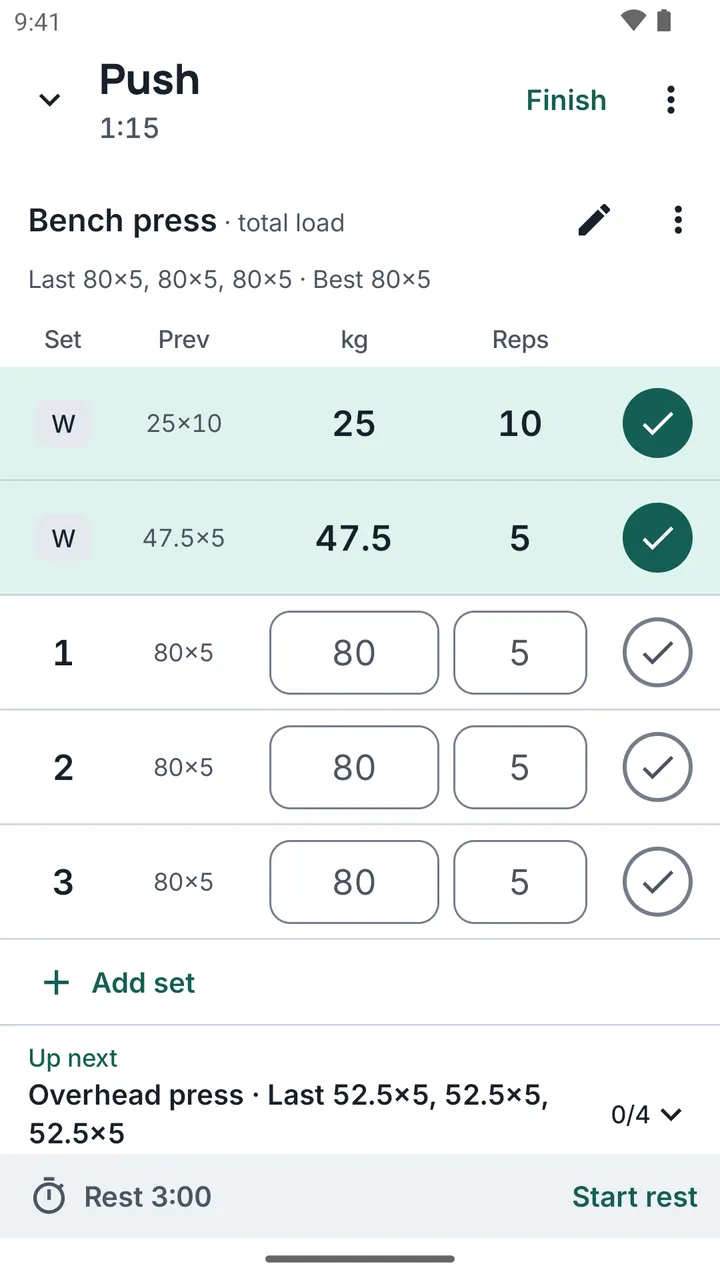
Train opens on the next routine in your rotation, with one Start button.
- Sets are filled in from last time. Tick to log one; only ticked sets are saved.
- Adjust with −2.5 kg, +2.5 kg and +1 rep chips, or type a value.
- Every exercise shows Last 60 kg × 8 · Best 65 kg × 5 before you load the bar.
- Rest starts when you tick, with −30 s, +30 s and Skip.
- As many routines as you need. Save as routine keeps any finished workout.
Also: Swap exercise for one workout, warm-up sets kept apart, and a workout saved set by set if the app closes.
History
Every workout you finished, in order
Open one to see its sets, its note and its photo.
- Edit a set you got wrong, or Edit date to move the workout to another day.
- Repeat this workout, or Save as routine to keep it.
- Add one photo and a comment to any finished workout.
- Share it as a card image, a text summary or the photo with its comment. Each option says what leaves your phone.
Progress
Your own numbers, as charts
What happened, with no streaks, no red "missed" days and no made-up score.
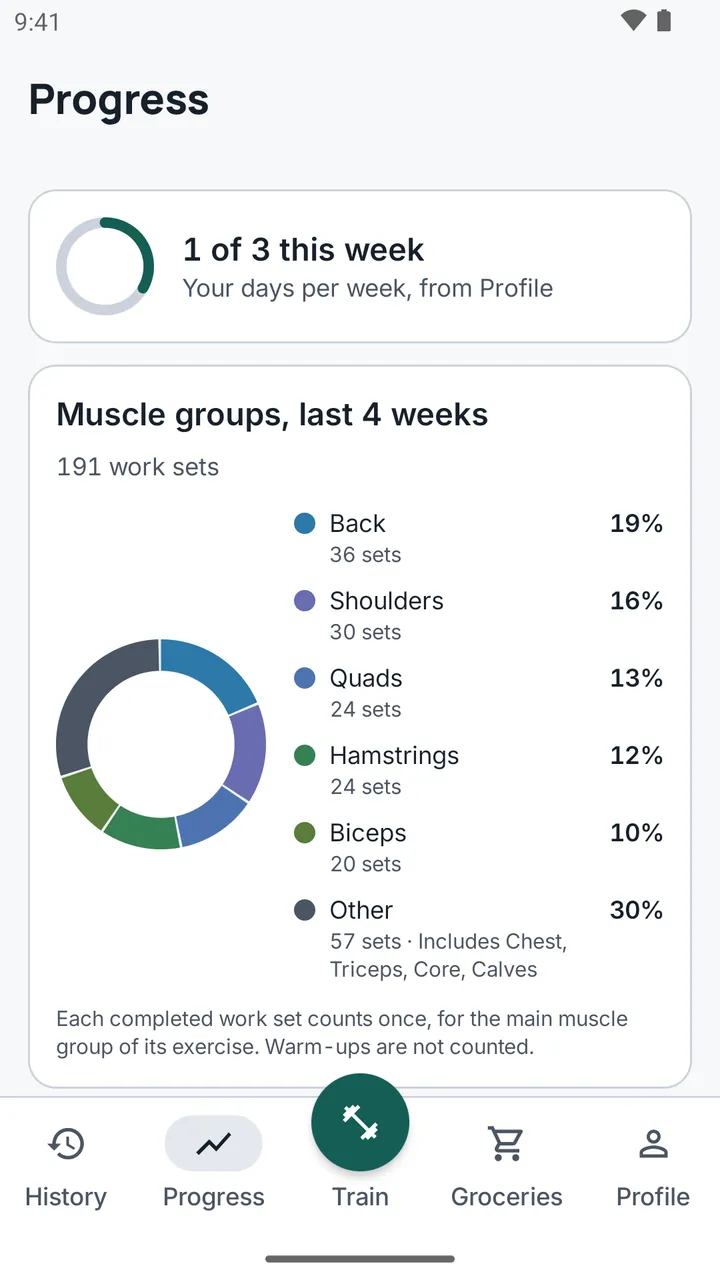
- This week: a ring of your workouts against the training days you set, or your usual week.
- Muscle groups, last 4 weeks: a donut with each group's name and percentage in text.
- Exercises: each with Last vs best and a chart of your top set, plus Show data table.
- A monthly calendar of the days you trained.
- Reports from this week to all time, to share as text or CSV.
Groceries
A plain shopping list, apart from training
No calories, no macros, no meal plans and no nutrition advice.
- Group by aisle, or by where you keep it: fridge, freezer, cupboard or not food.
- Staples you buy every week come back with Add my staples.
- Packs such as Breakfast, Weekly basics and Meal prep. Untick what you don't need.
- Share list as text.
Profile
Your details, settings and data
Every detail is optional, and every field can stay blank.
- A name, a photo, training days and a goal. The goal never changes your loads.
- A body weight log with a chart of the last 12 weeks.
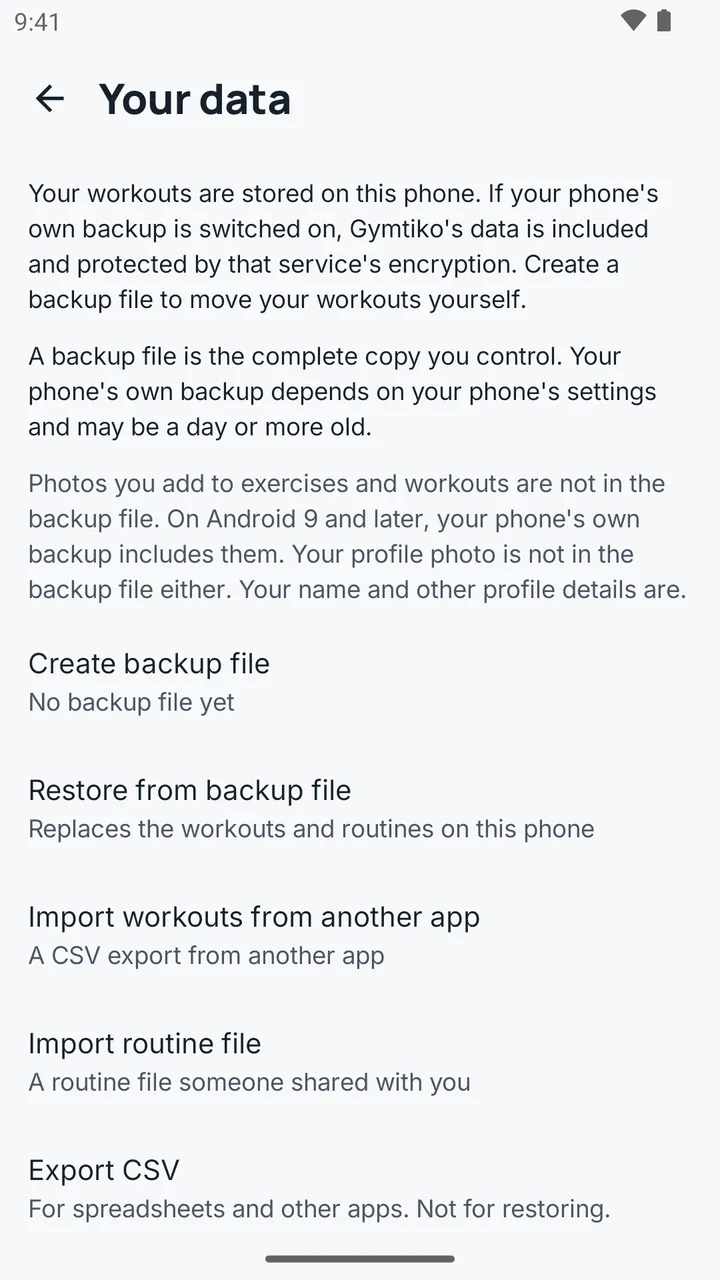
- Your data: Create backup file, restore, Export CSV and Delete all data.
- Privacy and permissions lists every permission the installed app declares.
- Reminders on the days you choose, off until you switch them on. App lock, kilograms or pounds.
Also, in every tab
English, Greek, Italian, German, French and Spanish · light and dark themes · text up to 200 percent, with labels for TalkBack · works offline, with no internet permission.
Gymtiko records your training; it does not prescribe it. No programmes, no load advice, no medical advice. Not there yet: supersets, a plate calculator, and distance or assisted exercises.